

Wayfair Packout Tool
Creating a more streamlined packing experience for warehouse packers, resulting in a 30% improvement in pack efficiency.
Context
When packing becomes a bottleneck
Wayfair's warehouses were buzzing with activity until orders hit the packing stations. As upstream processes got faster, existing stations struggled to keep pace. Adding more stations did not improve efficiency, so the bottleneck needed a serious rethink.

Problem definition
Packers were lost in the labyrinth
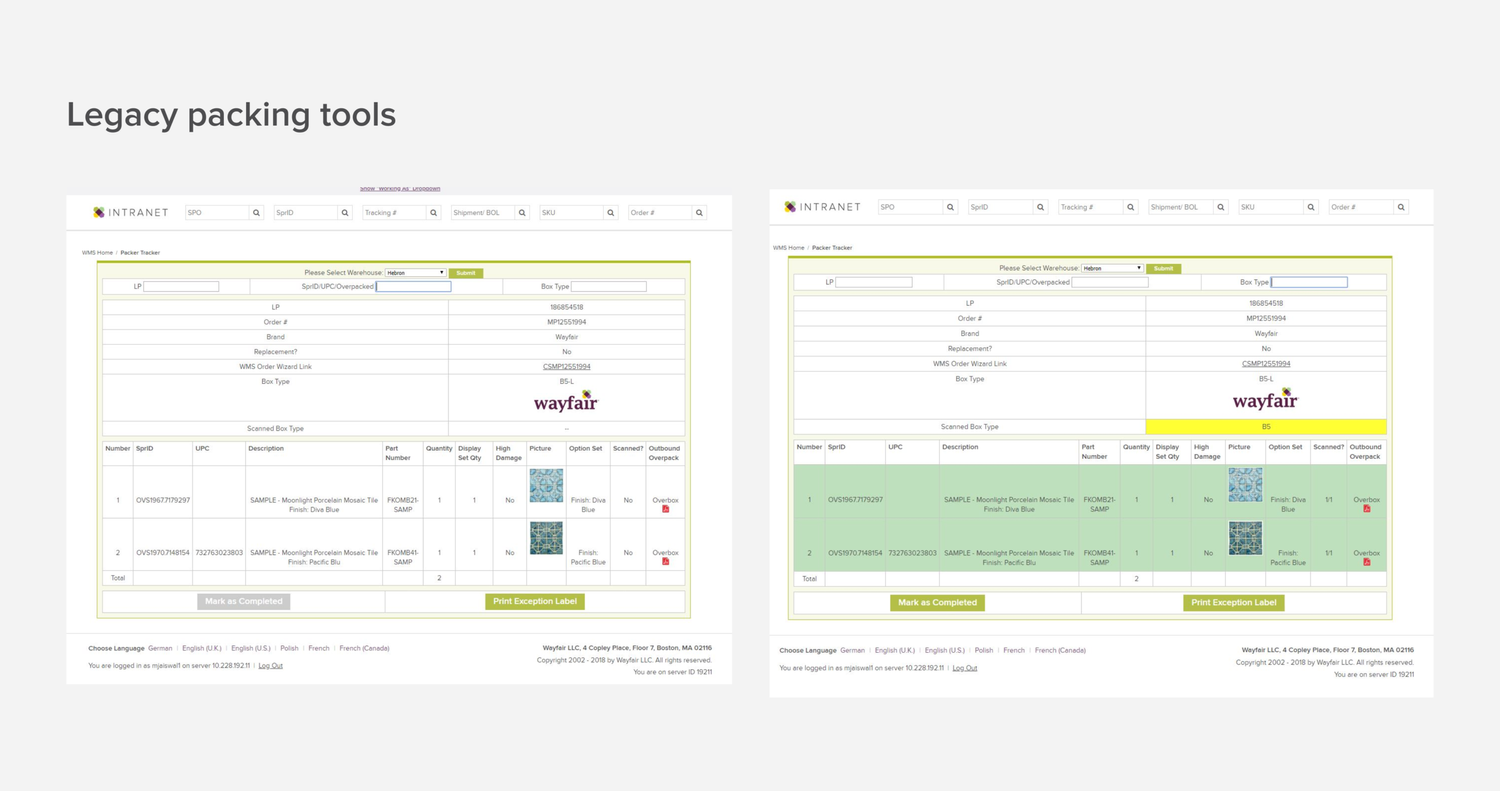
Our legacy packing tools were slowing down more than 300 packers. The redesign had to solve problems for both warehouse teams and engineering.
- Frustration station: A maze of information made it hard for packers to find what they needed.
- Engineering overload: Maintaining three codebases drained time and resources.
- Costly consequences: Labor, shipping, and error-handling costs were putting a dent in the bottom line.
Measuring success
A lever for packing efficiency
The goal was not just a redesigned tool. We aimed to boost packer efficiency, consolidate systems, and ultimately cut fulfillment costs.
- Units Packed per Hour (UPH)
- Tool adoption rate
- Training hours for new packers
Physical workflow
Where the physical meets the digital
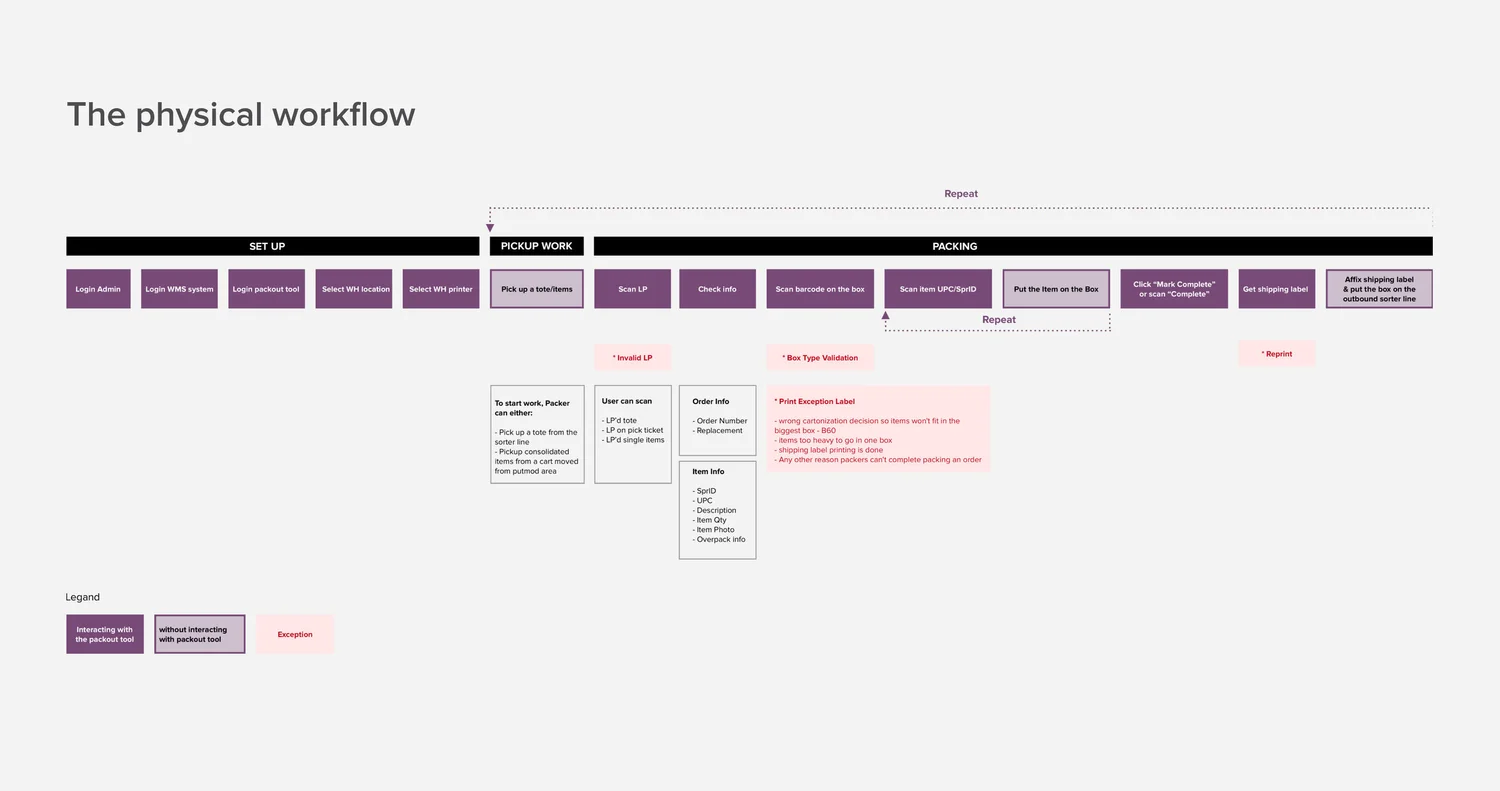
Before diving into pixels, I led a workshop with stakeholders to map the existing packing process. Visualizing the real-world workflow helped us pinpoint which data was crucial for the new tool.
Design skeleton
Reinventing the interaction model
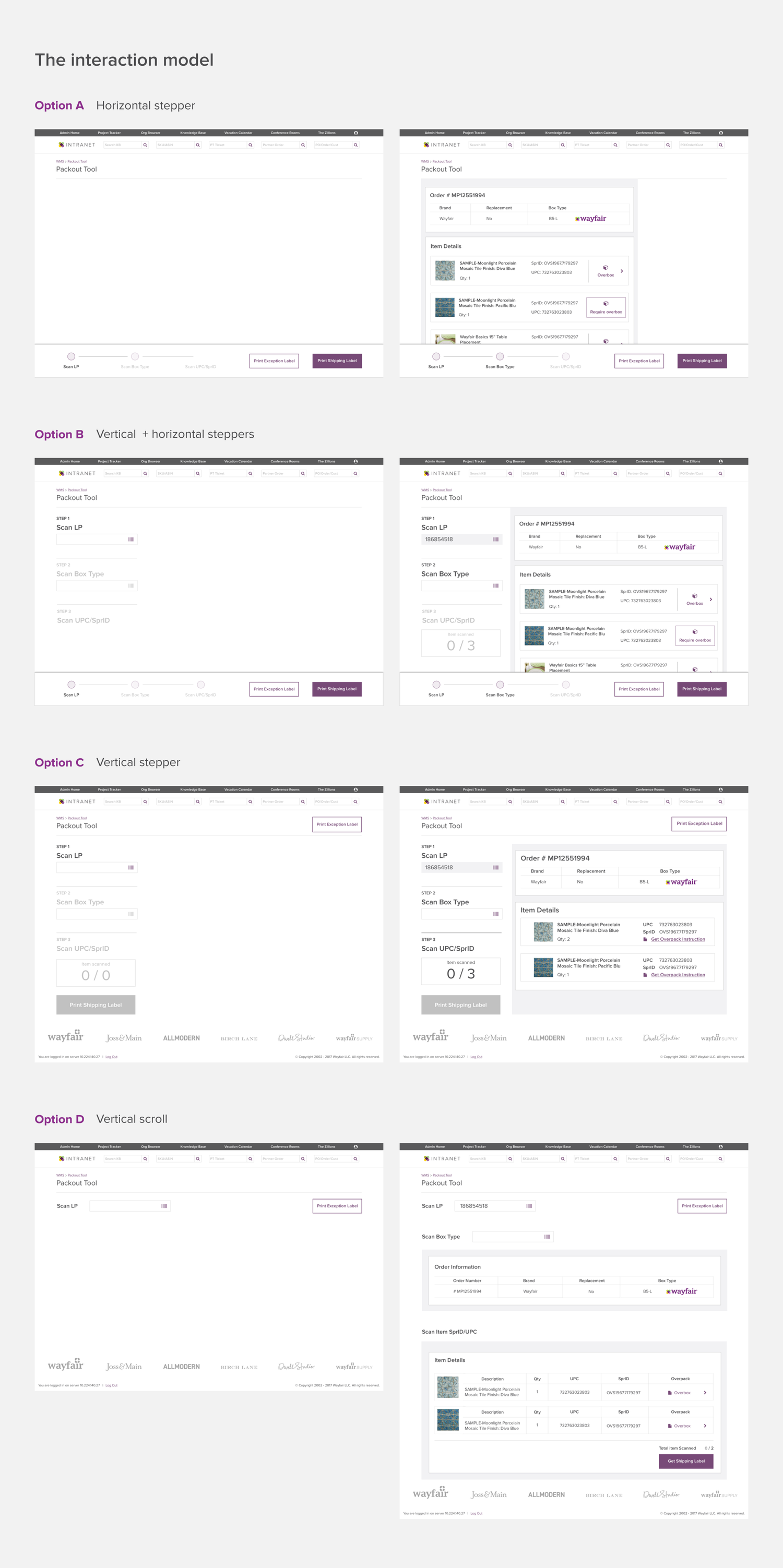
After exploring several interaction concepts and weighing the tradeoffs, Option C emerged as the winner. An open right-hand column for item cards and a fixed progress bar improved navigation and layout clarity. The two vertical modules also created a clear hierarchy for progression and scannability.
Usability testing
Getting first-hand feedback from warehouse packers
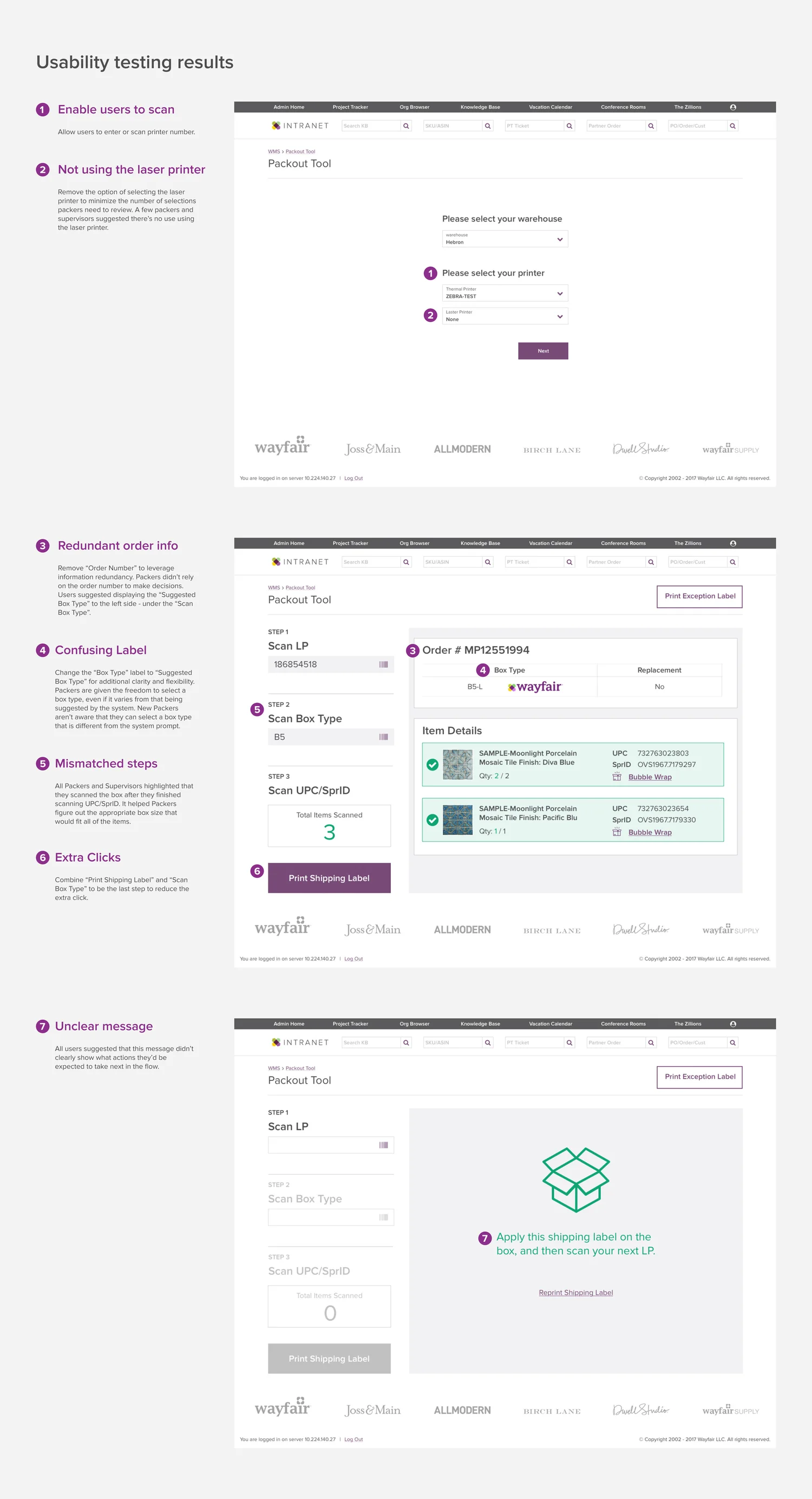
I led a warehouse research trip, conducting usability tests with packers and supervisors. A follow-up workshop ensured the team aligned on the insights.
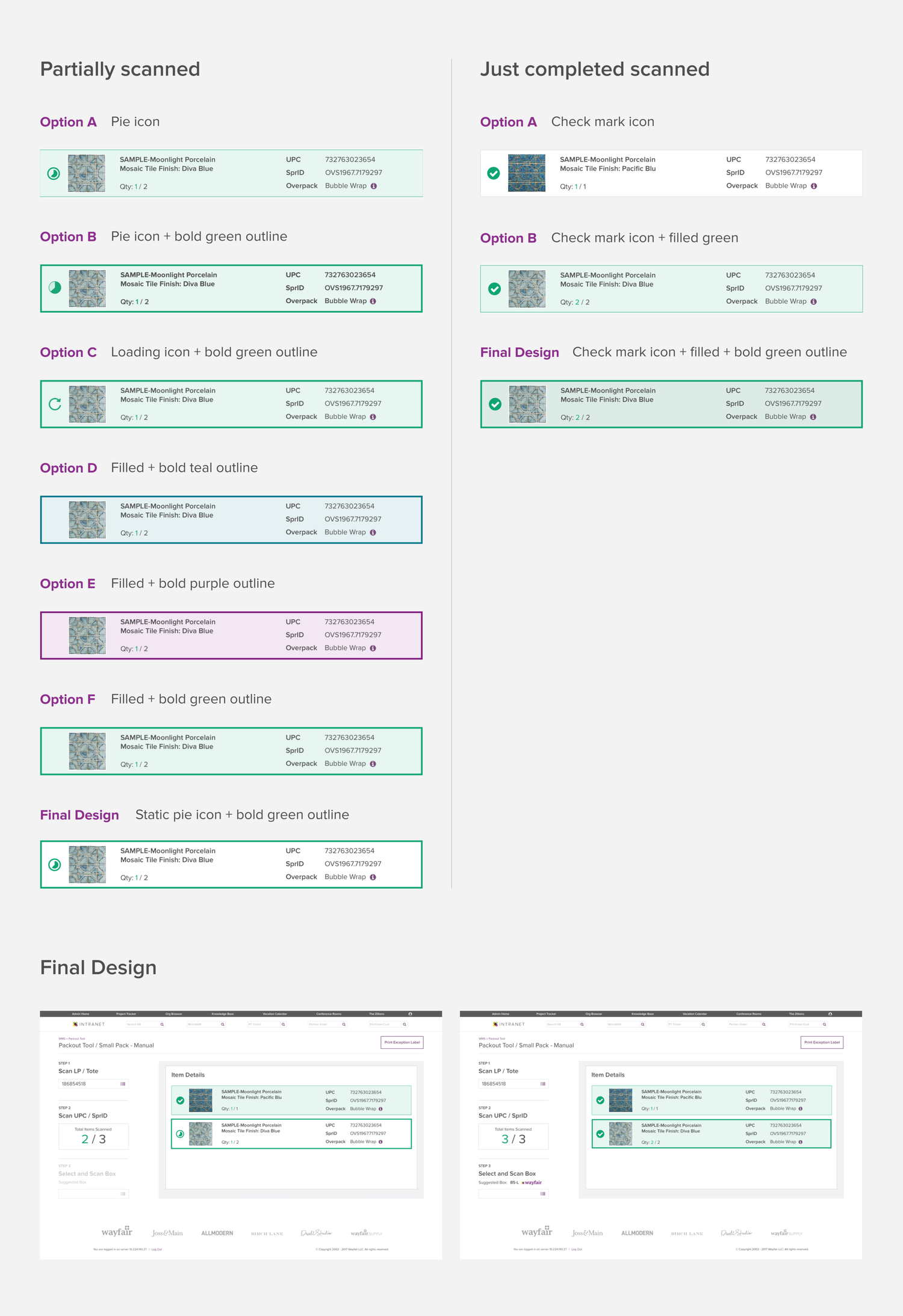
- Scan and done: Created clear visual cues for waiting, partially scanned, and fully scanned items.
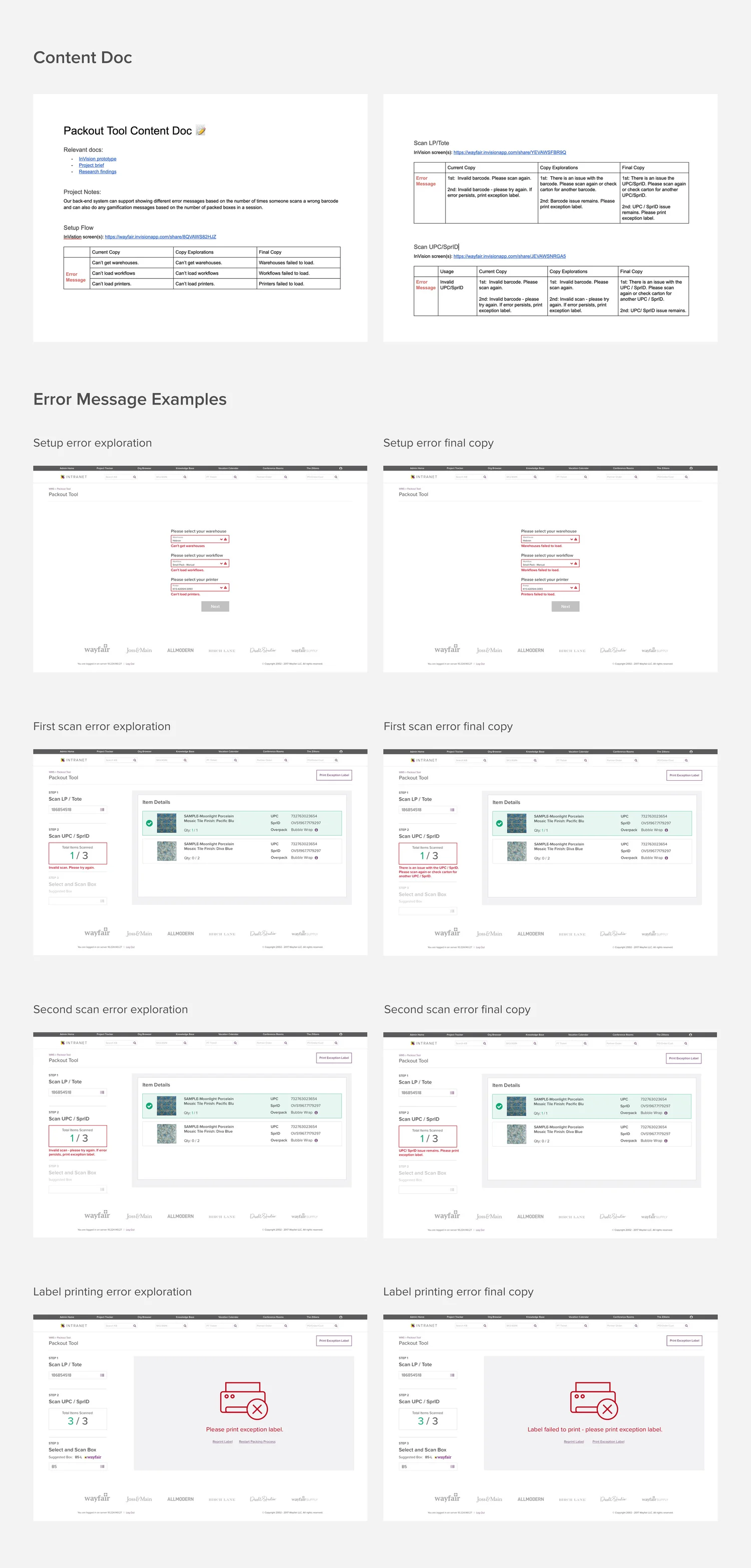
- Microcopy matters: Partnered with a content strategist to make error guidance accurate and actionable.
Design iteration
Scanning item interactions
I designed clear visual cues to show an item's scan status – waiting, partial, or fully scanned.
Content iteration
Error messages: crafting clarity through collaboration
Great error messages do more than point out problems – they offer solutions. Testing revealed a surprising number of barcode edge cases, so I created a shared resource for tracking copy iterations and feedback. It became the team's guide for keeping communication clear and the packing experience smooth.
Design impact
Designing for scalability
- One tool, limitless potential: The new tool was designed to integrate with automation and support more packing workflows.
- Design-system trailblazer: The vertical progress bar became a reusable component in Wayfair's design system.
Outcomes
“The new tool is working fantastic and we love it!”
- 30% increase in pack efficiency (UPH).
- No special training needed – new packers got up to speed quickly.
- Developer time reduced by 40%.
- A special shoutout in the company-wide CEO email.
Reflections
Bridging the physical and digital worlds
- Domain knowledge = design empathy: Learning how associates interact with boxes, cartons, and their workspace drove better design decisions.
- Physical awareness guides digital design: Understanding real-world limitations and terminology helped create a more intuitive interface.
- Simplicity wins: Clean UIs with essential information empower packers with accuracy and speed.